
Button Eyes Filter
1. Pick an effect
2. Upload your photo
How to get button eyes on your photo
One selfie in, one creepy button-eyed video out.
- 1
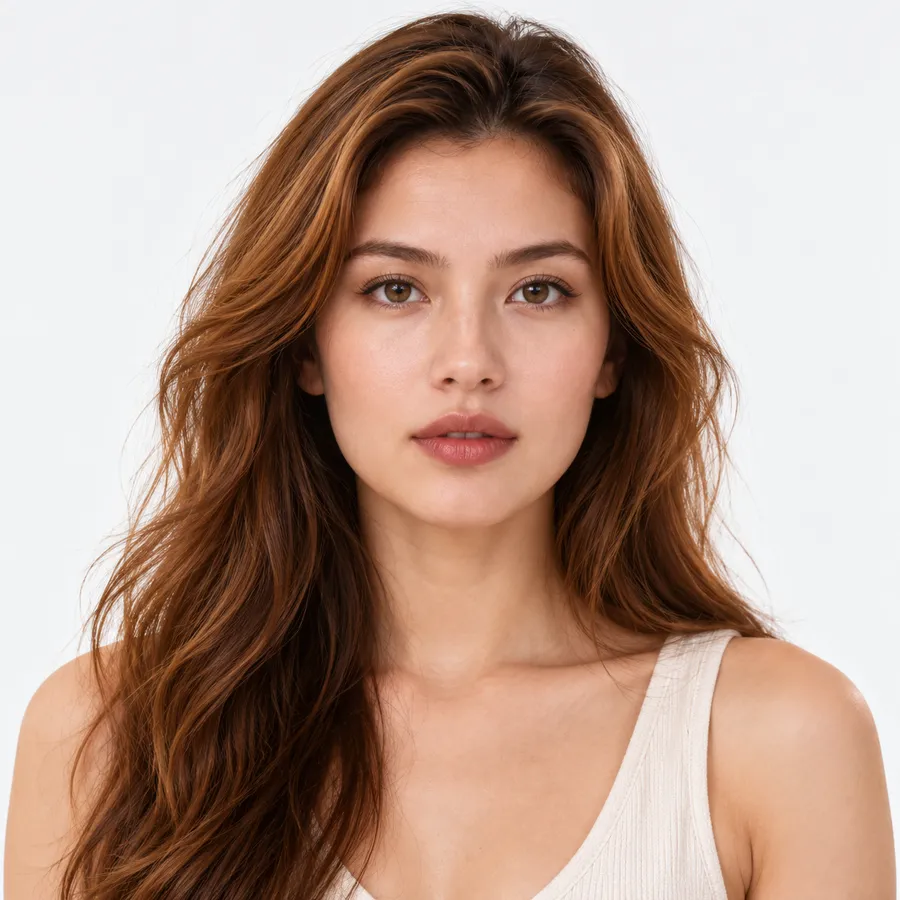
Upload a selfie
A clear photo of your face looking at the camera. Head and shoulders is ideal.
- 2
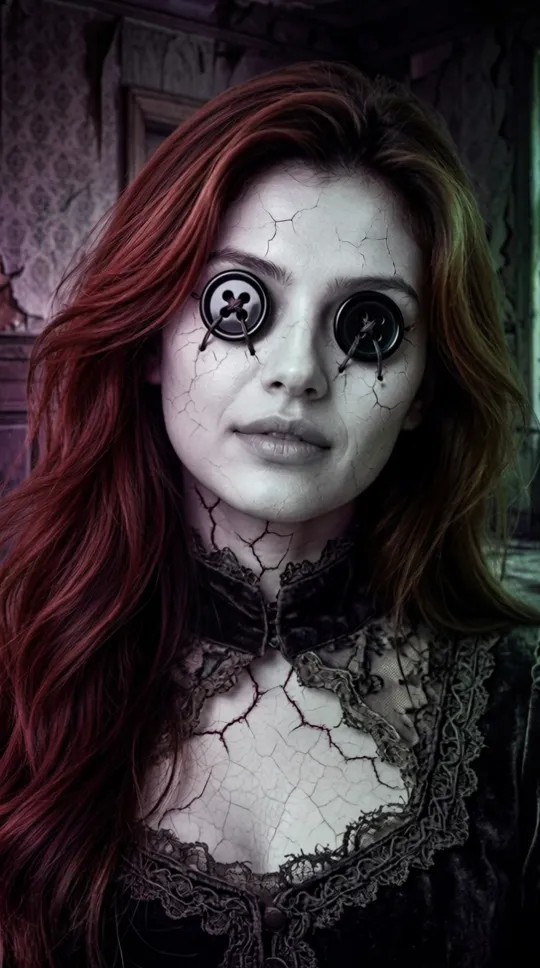
We stitch on the buttons
The AI swaps your eyes for black four-hole buttons and turns your skin to porcelain, keeping your face and hair.
- 3
Download the video
A 5-second vertical MP4 in 2 to 3 minutes, or save it as a GIF.
What the button eyes trend is
The button eyes trend copies the most famous image from Coraline: the Other Mother, a too-perfect parent with shiny black buttons where her eyes should be. In the story she wants to sew buttons onto Coraline's eyes so she will stay in the Other World forever.
Every October people recreate the look with makeup, costumes and filters. This tool does the whole transformation from a single selfie and makes it move, so you get a short horror clip instead of a static photo.
Why this button eye filter looks unsettling
Still your face
Face shape and hairstyle stay yours, so friends recognize who got the button eyes. The gothic light tints your hair a little darker.
The full Other Mother look
Glossy black buttons with dark thread, fine porcelain cracks and dim purple and green gothic light.
It moves
Not a still sticker: a 5-second clip where you slowly tilt your head, smile and the buttons catch the light.
Vertical, ready to post
9:16 MP4 for TikTok, Reels and Shorts, or a GIF for chats and profile pictures.
Failed? Credits come back
If the AI cannot finish, the 20 credits go straight back to your balance.
Deleted in 24 hours
Your selfie and the video are removed automatically after a day.
Button eyes filter example
A real result from this tool, made from the sample photo on this page.
BeforeButton eyes filter vs. button eyes makeup
Makeup and costume lenses take an evening and still look like makeup. The AI filter takes a few minutes and gives you the movie look on camera.
| AI button eyes filter | Button eyes makeup or costume | |
|---|---|---|
| Time | 2 to 3 minutes | 1 to 3 hours |
| What you get | 5-second video and GIF | Photos of your makeup |
| Cost | 20 credits, about 50 cents on the Starter pack | Paint, buttons, lenses or a costume |
| Can you wear it to a party | No | Yes |
Many people do both: a quick AI clip to post now and the real costume for the night.
How much does the button eyes video cost?
Each video costs 20 credits. There is no free version, because every clip runs two AI models.
| Pack | Price | Button eyes videos |
|---|---|---|
| Starter | $5.99 for 250 credits | 12 videos, about 50 cents each |
| Max | $29.99 for 1,450 credits | 72 videos, about 42 cents each |
Packs are one-time payments, credits never expire, and the same credits work for face swap, plush and every other tool on the site.
Photos that work best
Use a sharp, well-lit selfie where both eyes are open and visible. Facing the camera works best; a strong side angle can put one button in the wrong place.
Take off sunglasses. Glasses are fine but can end up drawn over the buttons. One person per photo gives the cleanest result.
Coraline button eyes: is this the movie look?
It is inspired by it, not taken from it. The filter draws new black four-hole buttons with thread on your own face; it does not use frames from the film.
QuickFaceSwap is not connected with the makers of Coraline. Post your clip as a fan-made Halloween edit.
Button eyes filter FAQ
Upload a selfie on this page, keep Button Eyes selected and click Make My Button Eyes Video. In 2 to 3 minutes you get a 5-second video with black button eyes to download as MP4 or GIF.
More tools
Give yourself button eyes.
20 credits per video. Credits never expire and work across every tool.