
Face swap examples: real before & after results
Every result on this page was generated with QuickFaceSwap from the input shown — no retouching, no hand-picked stock outcomes. Each example lists the tool, the cost and how long it took, so you know exactly what to expect before uploading your own photo.
Photo face swap
A studio portrait with a new face. Skin tone and lighting are matched by the model, not pasted on.

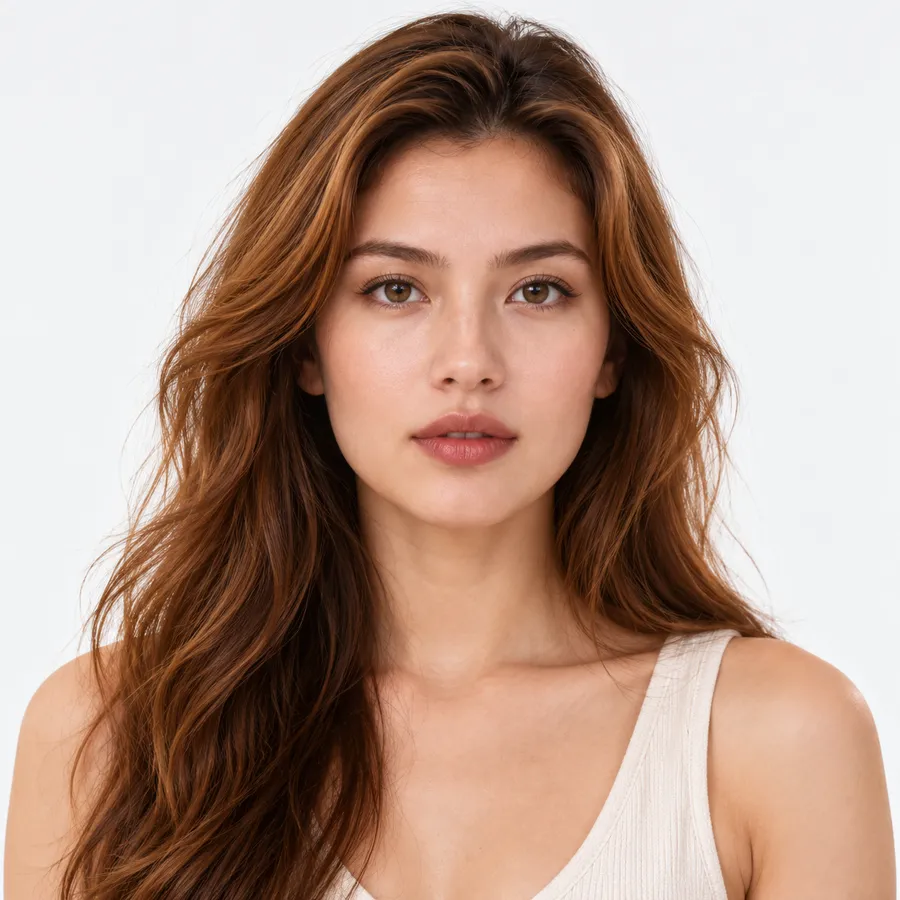
- Tool: Photo Face Swap
- Input: one target photo + one face photo
- Cost: 1 credit (your first swap is free, no sign-up)
- Time: about 30 seconds
- Output: same size as your photo, up to 2,048 px on the long side, no watermark
Multiple face swap in a group photo
Faces 2 and 3 were swapped; faces 1 and 4 are exactly as they were. You pick who changes.


- Tool: Multiple Face Swap
- Input: one group photo + one face photo per person you want to change (up to 4)
- Cost: 1 credit per face changed; faces you keep are free
- Time: all chosen faces are processed in parallel, usually under a minute
Whole head swap (face, hair and head shape)
The same studio photo with a whole new head. Compare it with the photo swap above: here the hair changes too.

- Tool: Head Swap (choose Whole head)
- Input: one target photo + one photo with the whole head and hair in frame
- Cost: 3 credits per photo; video head swap is 4 credits/second at 480p or 8 at 720p
- Body, clothes and background stay unchanged
Standard vs HD, zoomed in
The same swap, cropped and zoomed 2×. Standard on the left, HD on the right: skin, eyes and hair stay sharp at full size.


- Tool: HD Face Swap (a swap followed by a 2× upscale)
- Output: up to 4,096 px on the long side, versus 2,048 px for standard
- Cost: 2 credits per photo; adds about 20 seconds
- Worth it for print and big screens; for a chat message, standard is enough
GIF face swap
A 3-second clip with a new face in every frame. The slider compares one frame; the video is the actual output.


- Tool: GIF Face Swap (GIFs up to 5 seconds)
- Cost: 1 credit per second, 3-second minimum; free after free sign-up for your first one
- Download as GIF, or as an MP4 that is far smaller
Video face swap
A 3-second clip with the face replaced in every frame and the original sound kept.


- Tool: Video Face Swap (MP4 or MOV up to 30 seconds, 1080p)
- Cost: 1 credit per second, 3-second minimum
- Output: H.264 MP4 at the source resolution, original audio kept
When a face swap doesn't work well
Not every photo swaps cleanly, and we'd rather tell you before you spend a credit. The usual causes:
- The face is too small in the frame — crop closer before uploading.
- Side profiles and big angle mismatches between the two photos — pick a face photo shot from the same direction.
- Covered eyes or mouth (sunglasses, hands, hair) — use a photo with the face clearly visible.
- Fast motion in GIFs and videos — whip-pans and faces leaving the frame can flicker for a few frames.
If a swap fails outright, the credits come back automatically, so it costs nothing to try a different photo.
Examples FAQ
Are these real results from the tool?
Yes. Every example on this page was generated with QuickFaceSwap from the input shown, with no manual retouching or editing afterwards. What you see is the file the tool returned.
Will my photo look this good?
Results depend mostly on your inputs: a sharp, front-facing, well-lit face photo and a target with a similar angle and lighting give the most natural swaps. Small, sideways or covered faces are the usual cause of a weak result.
Can I try the same swap myself?
Yes. Each example links to the tool that made it. Your first photo swap is free with no sign-up, and signing up free covers a first GIF or video swap.
Make your own before & after.
Your first photo swap is free with no sign-up. No watermark on any result.
Try a Free Face Swap